
Kiosk Time Clock App for Tablets
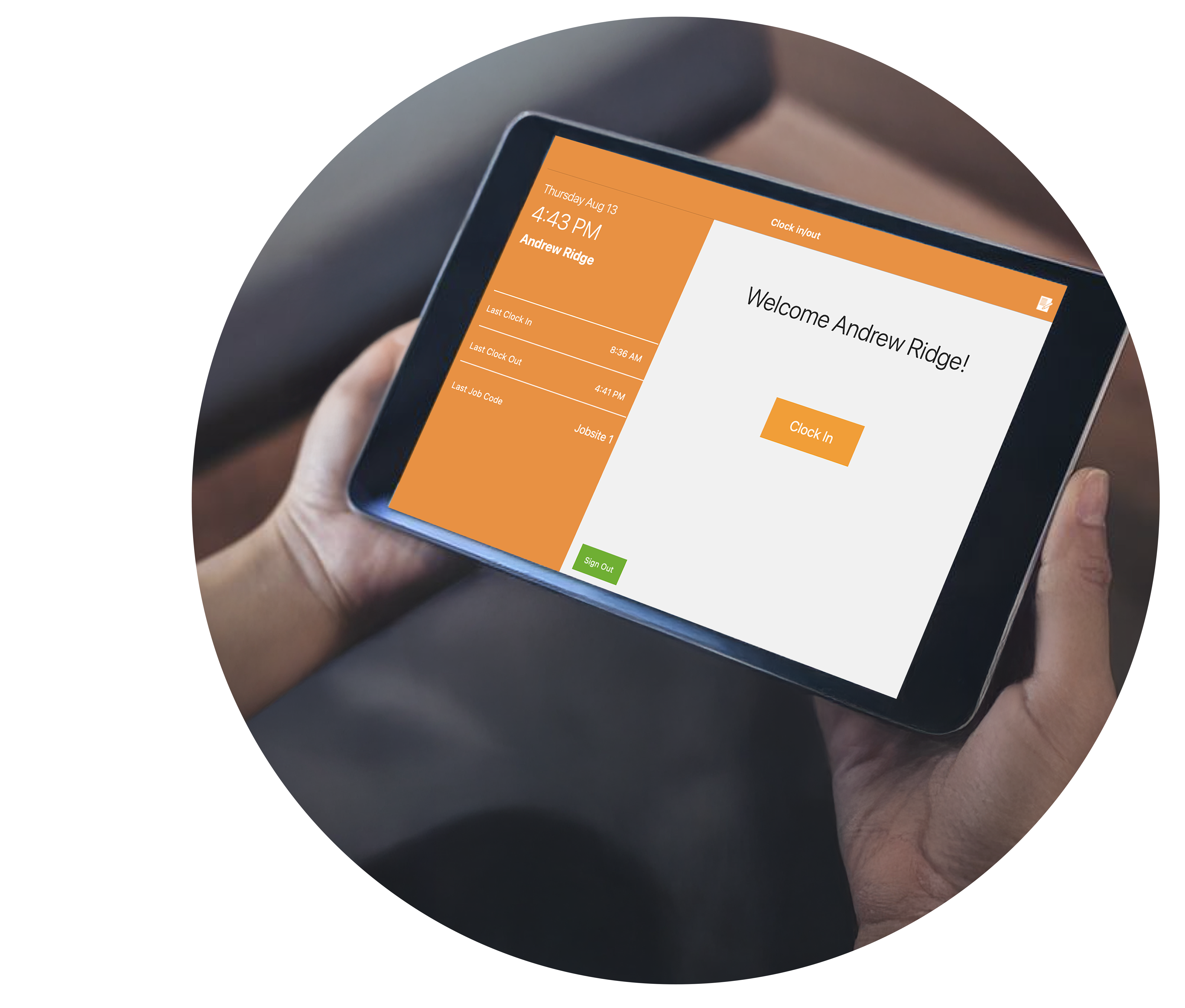
Download the ezClocker Kiosk app onto any iPad or Android tablet and turn it into a shared time clock for your job site or office. No need to buy special hardware or ask employees to use their own devices to punch in.
The Kiosk time clock app is ideal for any business with a fixed physical location, including doctor offices, restaurants, retail stores, and salons. If your employees come to the same place every day, the Kiosk gives them one central spot to clock in and out.
As the admin, see who is clocked in, view timesheets, and make changes, all from your phone or computer.


4.8 of 5 on Capterra
4.6 of 5 on Google Play
4.8 of 5 on Apple App Store
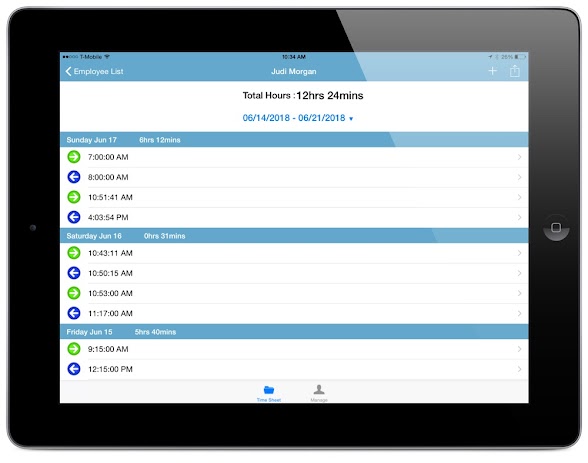
In Admin Mode, the app works like our iPhone and Android time keeping apps. View who is clocked in, check hours worked for the pay period, and make changes to employee timesheets, all from the tablet. ,This mode is ideal when you need to manage your team remotely without access to your phone or computer.
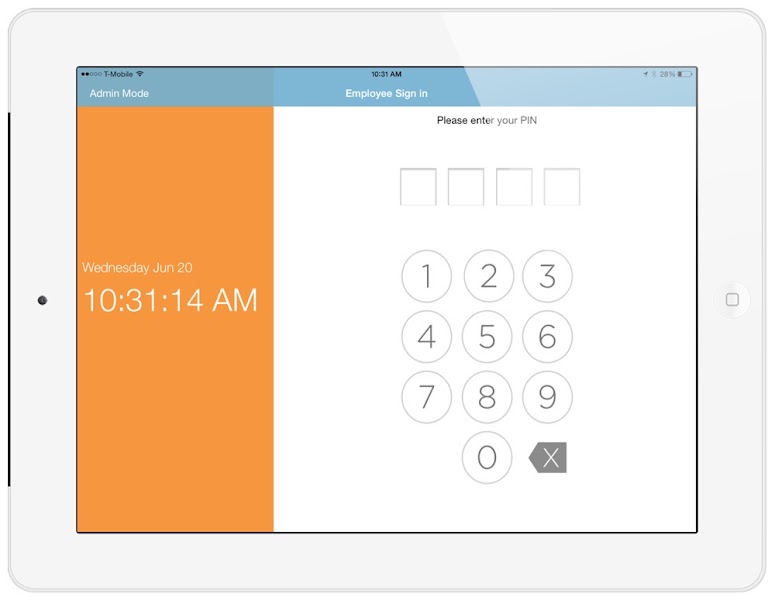
Switch to Team Mode and your tablet becomes a shared kiosk where employees clock in using a simple 4-digit PIN. No email, no password, no hassle. You can also block employees from using their own devices to punch in, keeping everything centralized.
Team Mode is ideal for construction crews, janitorial staff, retail stores, restaurants, and office employees who share a common workspace.
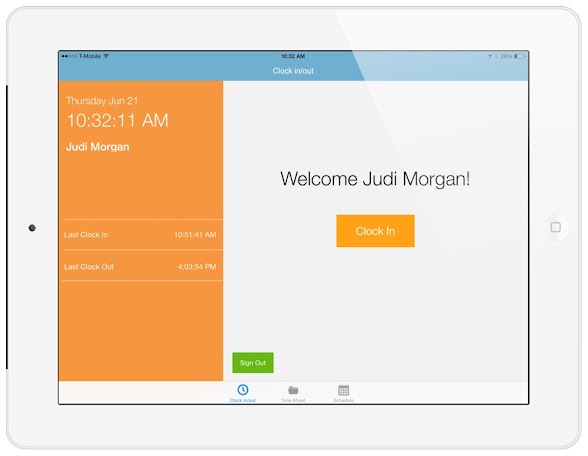
After entering their PIN, employees can clock in or out, view their timesheet, or check their schedule for the week. Everything they need is available in just a few taps, no login required.
This makes the clock-in process fast and simple, so your team spends less time at the tablet and more time getting to work.

'EzClocker is absolutely a time saver. Time is money.'
Mary Cook is the owner of Chef in My Kitchen and Untamed Chef.
Read more about Mary's story and learn how ezClocker has helped her grow not one business but two!

“ezClocker is very easy to use and affordable”
Chance Clifton is the owner of Space Walk Inflatables.
Read more about Chance's story and how ezClocker saved him 15hrs a month dealing with payroll and scheduling tasks.
"I looked for months and tried out many different time keeping apps before finding ezClocker. Love the simplicity of the app, helps with employee accountability and it has saved us payroll dollars that were previously being stolen."

manager of Hale Appliance Services LLC
"With multiple employees, it's easier for them to clock in and out using ezClocker, not just when they are in the shop but also in the field. I recommend ezClocker to anyone who has from 1 to several employees and give it 5 stars!."
owner of Garcia’s Auto Detailing
"EzClocker is easy to use and has helped us have a more accurate account of time, also keeps employees from guessing hours, and has saved us close to 100 hours in overpay."
owner of Simpson Concrete
"I was relying on my employees' word, which isn’t a very professional way of tracking time. With ezClocker everyone gets paid for the work they’ve done, and I can see who worked when, and whether they were on time."
owner of OJ Handyworks Inc.
Q) Is the Kiosk time clock app included in my subscription?
A) Yes. The Kiosk app is included in all plans, including the free plan for up to one employee.
Q) Does the Kiosk app work on a computer?
A) No. The Kiosk app is designed for tablets only, both iPad and Android.
Q) Does ezClocker sell tablets?
A) No. You provide your own iPad or Android tablet and simply download the ezClocker Kiosk app from the App Store or Google Play.
Q) Can I prevent employees from clocking in on their own phones?
A) Yes. You can restrict employees to only clock in through the Kiosk, keeping everything centralized.
Q) Can employees use the Kiosk app without their own phone?
A) Yes. Employees clock in using a shared tablet with a 4-digit PIN, no personal device or login required.

Our mobile time card app allows your employees to clock in/out from anywhere with their mobile devices. Perfect for remote employees.

Use our GPS map location to make sure employees are where they say they are. When employees clock in/out their location is saved with a GPS stamp

Allow employees to request time off (paid or unpaid). Employers and managers can approve or deny the requests with a touch of a button.

EzClocker is an affordable attendence tracking software. Pricing starts at just $15/month for up to 15 employees. Save 20% when you subscribe to the yearly plan.

Tired of using Excel for schedules? Our online scheduling system makes it easy to create schedules and allows employees to view their shift from their device.

Export your time sheets to payroll effortless. It's easy as pressing a button and your time sheets will be exported to a .csv file that you can send to your accountant.
As seen on:






Info@ezclocker.com
(800) 769-8174
Copyright (c) ezNova Technologies LLC | Terms of Service