
GPS Time Clock: Verify Employee Location at Clock In/Out
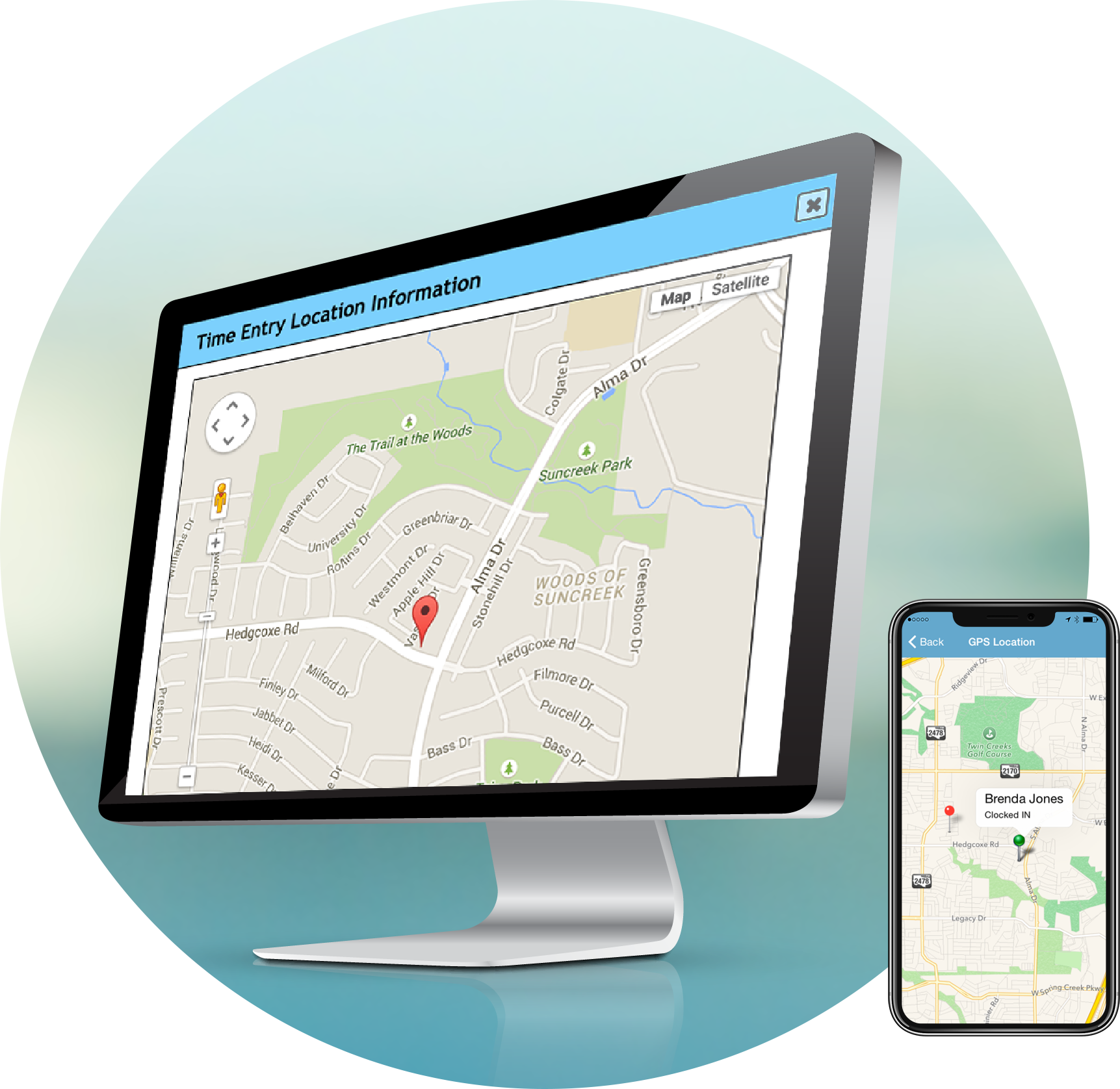
When your employees clock in or out using the ezClocker time clock app, their GPS location is automatically captured. You can view exactly where each employee clocked in from on an easy-to-read map, accessible right from your phone or computer.
This GPS time clock system ensures accountability without constant monitoring. No more sending supervisors to check on staff or wondering if employees actually showed up at the right location. Every clock-in is timestamped and tied to a precise location, giving you a clear, accurate record of your team's activity throughout the day.
Focus on serving your clients and growing your business instead of micromanaging timesheets. With ezClocker, you get the visibility you need to manage a field team with confidence, without having to be everywhere at once.


4.8 of 5 on Capterra
4.6 of 5 on Google Play
4.8 of 5 on Apple App Store
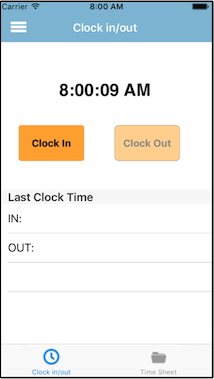
No need to buy expensive time clock hardware or GPS tracking devices. Your employees can use their own iPhone or Android phone as their time clock. When they clock in or out, ezClocker captures the GPS coordinates automatically, giving you proof of their location at the exact moment they punched in.
This mobile GPS time clock approach saves you money on equipment while giving you better location verification than traditional punch clocks ever could.
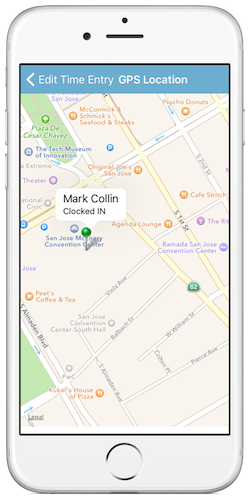
Whether you're at the office, meeting with a client, or on a job site yourself, you can check your business status instantly. With just a few taps on the ezClocker app, view where your employees clocked in or out from. Run your business from anywhere without needing supervisors to verify clock-ins.
Perfect for construction companies, janitorial services, landscaping businesses, home healthcare providers, catering operations, and any business with field workers or remote employees who need reliable GPS time clock verification.
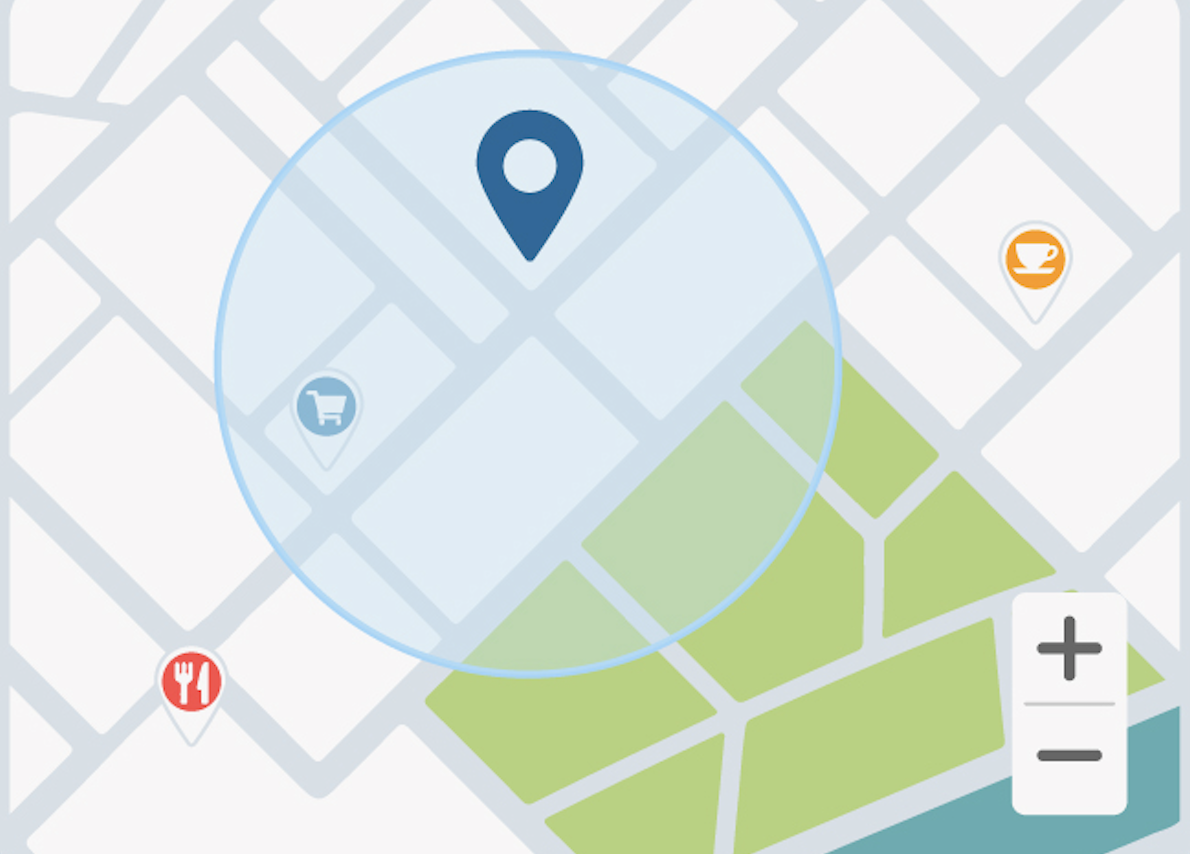
Take your GPS time clock system to the next level with geofencing. Set a radius around each job site so employees cannot clock in or clock out unless they're physically at the location. If an employee tries to clock in outside the geofence boundary, the app blocks them automatically.
This eliminates the need to manually check every GPS clock-in location, saving you time while ensuring your time clock data is accurate from the start.

"Everyone gets paid for the work they’ve done, and I can see who worked when, and whether they were on time. This really helps me keep a close eye on business operations."
—Oscar Jimenez, owner of OJ Handyworks Inc.
Thanks to ezClocker, Oscar can dedicate more time to the client-facing side of the business. [Learn more about his story here ].

"The problem with paper. You had to wonder, Did they get there on time? Were they late?"
—Suzana Sukunda, Owner, Homecare Your Way LLC.
Suzana uses ezClocker’s GPS verification to ensure that each person arrived at each residence when expected. [Learn more about Suzana’s story here ].
Simple Setup: No complicated installation or special hardware. Download the app and start tracking GPS locations at clock in/out immediately.
Affordable: Stop time theft and reduce payroll errors without the cost of traditional GPS tracking systems or expensive time clocks.
Privacy-Focused: We only capture GPS location when employees clock in or clock out. Not continuous tracking.
Mobile-First: Built for how you actually work. Manage your GPS time clock from your phone while you're out in the field.
Payroll-Ready: Generate accurate time clock reports with job data in minutes, not hours. Get your weekends back.
Q) Does the GPS time clock track employees all day?
A) No. ezClocker only captures GPS location at the exact moment employees clock in or clock out. We do not perform continuous GPS tracking or monitor employee movements throughout the day.
Q) How accurate is the GPS time clock location?
A) The accuracy depends on the employee's device, GPS signal strength, and whether they're indoors or outdoors when they clock in.
Q) Can I use this GPS time clock for multiple job sites?
A) Yes! You can set up geofences for multiple job sites and track which employees clocked in at which location.

Our mobile time card app allows your employees to clock in/out from anywhere with their mobile devices. Perfect for remote employees.

Use our GPS map location to make sure employees are where they say they are. When employees clock in/out their location is saved with a GPS stamp

Allow employees to request time off (paid or unpaid). Employers and managers can approve or deny the requests with a touch of a button.

EzClocker is an affordable attendence tracking software. Pricing starts at just $15/month for up to 15 employees. Save 20% when you subscribe to the yearly plan.

Tired of using Excel for schedules? Our online scheduling system makes it easy to create schedules and allows employees to view their shift from their device.

Export your time sheets to payroll effortless. It's easy as pressing a button and your time sheets will be exported to a .csv file that you can send to your accountant.
"I looked for months and tried out many different time keeping apps before finding ezClocker. Love the simplicity of the app, helps with employee accountability and it has saved us payroll dollars that were previously being stolen"

manager of Hale Appliance Services LLC
"With multiple employees, it's easier for them to clock in and out using ezClocker, not just when they are in the shop but also in the field. I recommend ezClocker to anyone who has from 1 to several employees and give it 5 stars!."
owner of Garcia’s Auto Detailing
"EzClocker is easy to use and has helped us have a more accurate account of time, also keeps employees from guessing hours, and has saved us close to 100 hours in overpay."
owner of Simpson Concrete
EzClocker makes employee time tracking easy! but don't take our word for it, download our app, add employees and try it out for 30 days completely free! see how ezClocker can save you time and money.
Our subscription plans are very affordable and you can cancel anytime.
As seen on:






Info@ezclocker.com
(800) 769-8174
Copyright (c) ezNova Technologies LLC | Terms of Service